



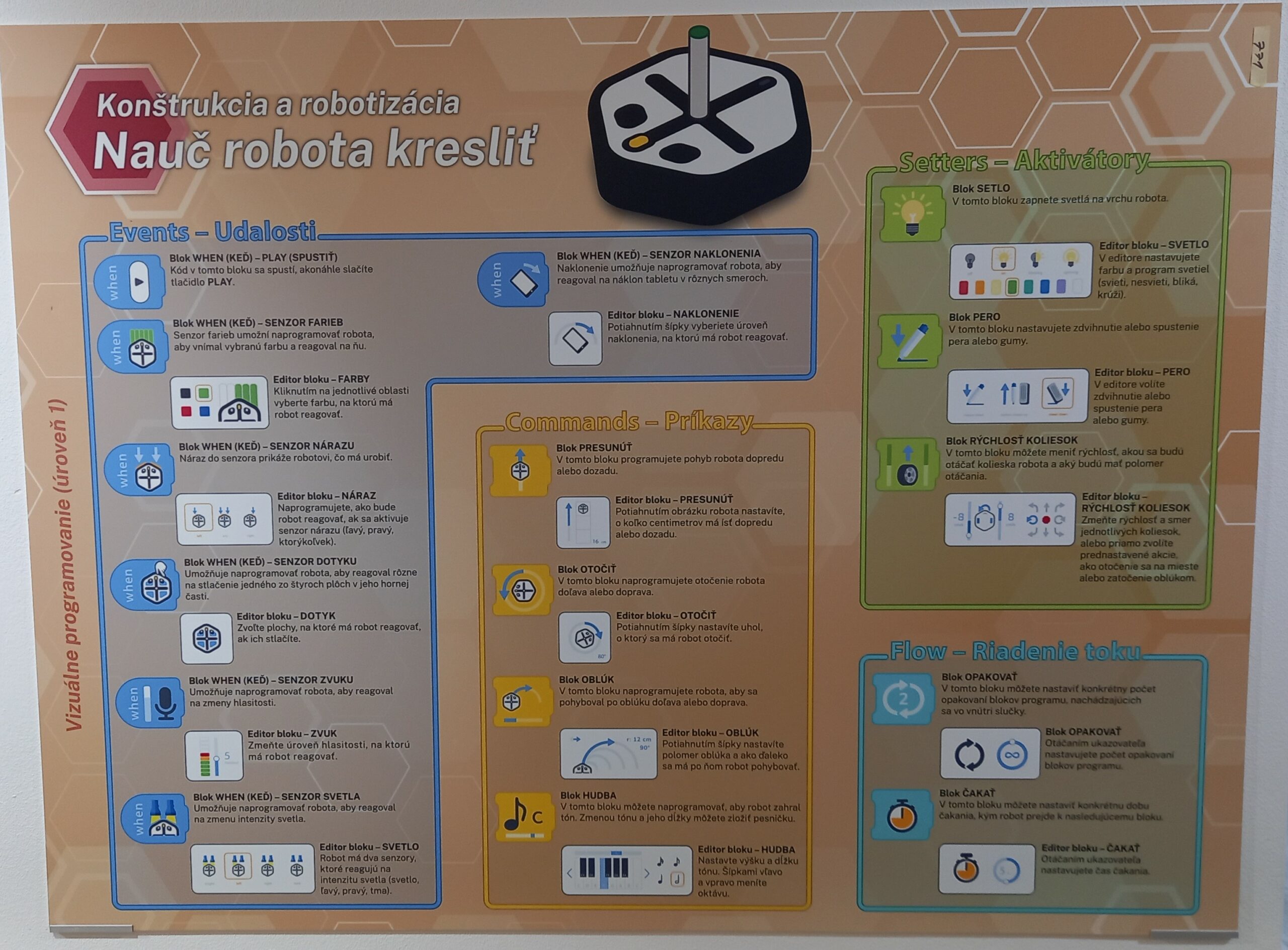
Operating Instructions
- Place the robot on the white magnetic board.
- Prepare a cloth, marker, and tablet.
- If needed, wipe the board clean and insert the open marker into the robot’s holder.
- Open the iRobot-Coding app on the tablet.
- Turn on Bluetooth and pair the robot with the tablet.
- Tap the “+ New Project” icon.
- Drag icons from the bottom toolbar to the top to create a sequence of actions.
- Press and hold icons to adjust parameters (e.g., movement length, direction, etc.).
- Each row with a blue icon at the beginning represents a separate program.
- You can test individual programs or actions by sending commands to the robot.
Interactivity
Visitors use the tablet to create their own code, which is then transferred to the robot attached to the ceramic board via magnets. Based on the code, the robot moves vertically across the board. Visitors can activate the robot’s special marker module to draw a custom image or write text. They can design their own motif or choose from pre-made tasks. Programming is simplified through visual blocks, allowing users to input logical functions without needing prior coding knowledge.
Educational Value
Programming is becoming an everyday part of our lives—even if we don’t always realize it. This special language will soon be as essential as English in its role as a global means of communication. Children can begin to learn the basics of programming in a fun and intuitive way, often without even realizing they’re doing so. The Teach the Robot to Draw exhibit offers visitors a playful and accessible way to grasp fundamental programming concepts while seeing the results of their efforts unfold right before their eyes.
